


One POS. No compromises.
Tax management, multiple bank accounts and tokenized cards from a single device. With online gateway included.
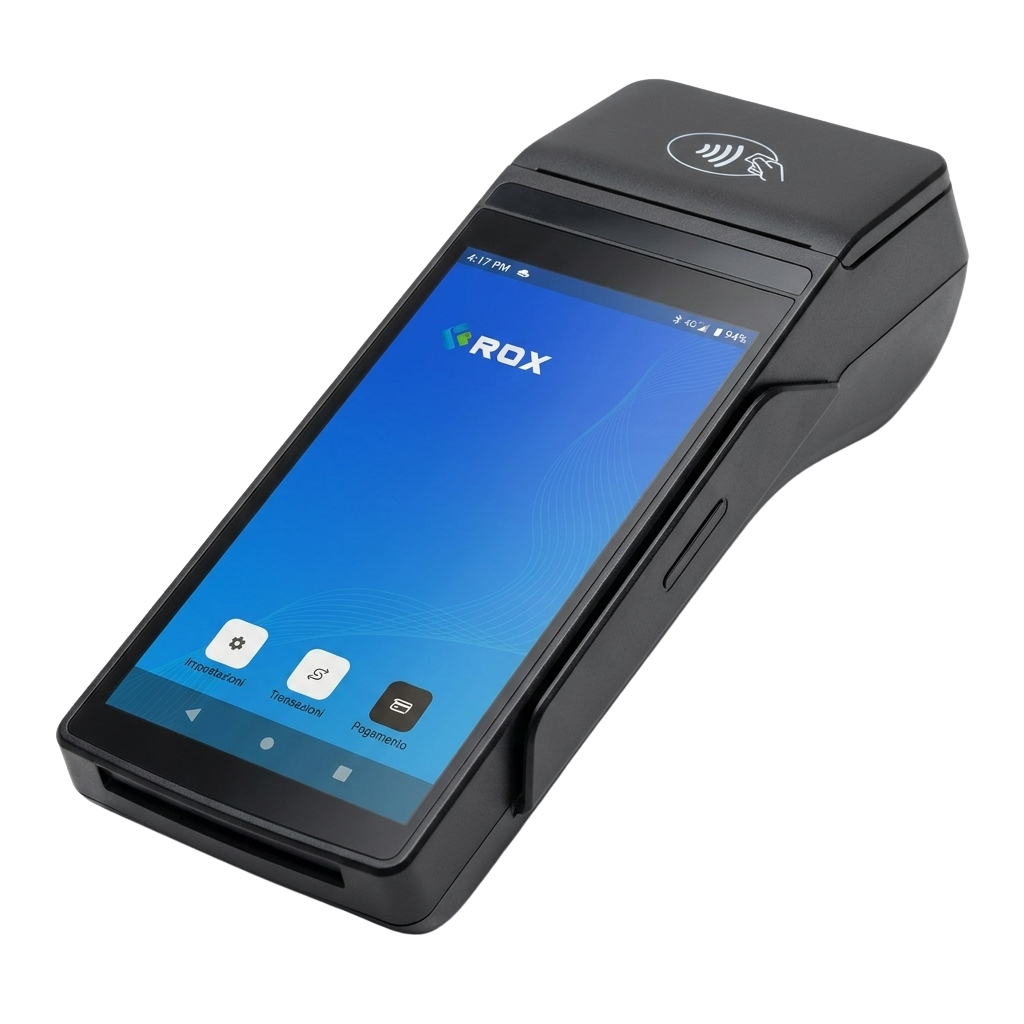
Fiscal document issued
E-receipt and e-invoice directly from the Daevon POS
With the Daevon POS you don't need a separate cash register. The device issues electronic receipts and e-invoices at the moment of payment, transmitting them automatically to the tax authority via fiscal compliance protocols.
- Zero additional hardware: no external fiscal printer, no cables to manage
- Automatic fiscal compliance: regulatory updates via OTA included
- Time saving: forget double-entry and manual reconciliation at end of day
Daevon POS daily close in a single tap
Forget Excel spreadsheets and manual calculations. At the end of the day, press one button on the Daevon POS and the complete summary is ready: totals by payment method, number of transactions, net amount to be credited.
- Automatic report: sent by email to the owner and accountant
- Totals by method: card, cash, vouchers separated for immediate reconciliation
- Accessible history: every closing is archived and viewable from the web dashboard
Daily summary
Payment routing
Configure routing rules from the Daevon dashboard
Manage multiple bank accounts from the same Daevon POS
Each Daevon POS can be linked to multiple IBANs simultaneously. Define automatic routing rules and every payment is credited to the right account, without manual operations.
- Ideal for businesses with multiple partners: each partner receives their share directly
- Perfect for chains and franchises: multiple locations, one unified platform
- Configurable rules: by product category, amount or time of day
Automatic card tokenization on the Daevon POS
When a customer pays for the first time on the Daevon POS, the system replaces the real card data with a unique token. The card number is never saved on the device: you are automatically outside PCI-DSS scope and future payments from the same customer are faster.
- Zero PCI-DSS burden: compliance responsibility stays with Daevon, not with you
- One-click payments: regular customers pay in less than three seconds
- Fraud protection: the token cannot be exploited in case of a data breach
Tokenization in action
Data travels encrypted via TLS 1.3
The original PAN is never stored
Token recognized, transaction authorized

Daevon POS technical specifications
Choose the Daevon POS model best suited to your business: countertop, portable and unattended solutions, all with the same integrated software features.

POS Daevon S1F2
Compact Countertop- Type Compact Countertop
- Connectivity 4G, WiFi
- Payments NFC, Chip, MSR
- Certification PCI PTS, EMV

POS Daevon S1F2-L
Compact portable- Type Compact portable
- Connectivity 4G, WiFi, BT
- Battery Built-in rechargeable
- Certification PCI PTS, EMV

POS Daevon S1E2-L
Portable mobile- Type Portable mobile
- Connectivity 4G, WiFi, BT
- Battery Built-in rechargeable
- Certification PCI PTS, EMV

POS Daevon AMS1
Android Countertop- Type Android Countertop
- Connectivity WiFi, Ethernet
- Payments NFC, Chip, MSR
- Certification PCI PTS, EMV

POS Daevon S1U2
Unattended / Self-service- Type Unattended / Self-service
- Connectivity 4G, Ethernet
- Mounting Plate + screws included
- Certification PCI PTS, EMV
All Daevon POS terminals are PCI PTS certified and updated via OTA. See the Smart POS page for the full catalogue of available models.
Frequently asked questions about the Daevon POS
Everything you need to know before choosing your Daevon POS.
Does the Daevon POS issue electronic receipts without an external fiscal printer?
Yes. Daevon terminals natively integrate fiscal management: electronic receipts and e-invoices are issued directly from the device, without the need for a separate cash register or external fiscal printer. Fiscal documents are automatically transmitted to the tax authority in compliance with applicable regulations.
Can I link multiple IBANs or bank accounts to the same Daevon POS?
Yes. With Daevon you can associate multiple IBANs with the same Daevon POS and route incoming payments to different bank accounts. It is the ideal solution for merchants with multiple tills, partners, departments or locations sharing a single device.
How does card tokenization work on Daevon?
When a customer pays with their card, Daevon automatically tokenizes the payment method data. This means the card number is never stored on your device: you remain outside PCI-DSS scope and future payments from the same customer are faster and more secure.
Does the Daevon POS work offline or without internet?
Daevon terminals support multiple connectivity options (4G, WiFi, Ethernet) to ensure maximum operational continuity. In the event of a temporary connection interruption, the device can operate offline for low-value transactions and synchronize as soon as the connection is restored.
What payment methods does the Daevon POS accept?
The Daevon POS accepts all major payment methods: Visa, Mastercard, American Express, Maestro cards, NFC contactless payments, Apple Pay, Google Pay and Samsung Pay. QR code payments are also supported and, depending on the model, instant transfers via open banking.
How does daily closing work with the Daevon POS?
The daily close is performed with a single tap from the Daevon app. The end-of-day summary shows totals broken down by payment method (card, cash, vouchers), the number of transactions and the net amount credited. The report is automatically sent by email to the owner and accountant.
What are the Daevon POS fees?
Daevon uses the IC++ (Interchange Plus Plus) fee model: you pay exactly the actual interbank fees plus a fixed and transparent markup. There are no hidden fixed monthly costs or opaque flat-rate tariffs. Visit the pricing page for full details of the rates.
Ready to simplify your payments?
Activate your Daevon POS in a few days. No hidden fixed costs, transparent IC++ fees.

Chiara
Daevon Support